The old hack
Sometime around 2015-2016, I had to connect two rooms that were separated by a balcony. The simple answer was obvious: run an Ethernet cable through the balcony and plug it into the router on the other side.
It worked. It was cheap, fast enough, and did not need any special equipment. For a while, it felt like the sort of practical fix that makes home networking fun.
Then a lightning storm happened.
After the storm, one Ethernet port on my ASUS router was dead. The rest of the router survived, but that port was gone. I did not need a long forensic investigation to understand what had happened. I had effectively put a long copper conductor outside, exposed enough to pick up nasty transients during bad weather, and then connected it straight into consumer networking gear.
That was the lesson:
Do not run Ethernet outside in an exposed fashion.
Copper Ethernet is convenient, but it is still copper. If it runs outdoors, between buildings, across balconies, or through places where lightning-induced surges and ground-potential differences are realistic, then the network cable is no longer just a data cable. It can become a path for energy that the tiny magnetics and protection circuits inside consumer routers were never meant to handle.
Why this matters
The failure was not dramatic. There was no smoke, no fire, no visible damage, and no great story beyond one dead port. But that is exactly why it stuck with me. It was a quiet reminder that "it works" and "it is a good installation" are not the same thing.
Ethernet across short indoor runs is excellent. Ethernet across exposed outdoor space needs more thought:
- Outdoor-rated cable
- Proper routing
- Surge protection
- Grounding and bonding
- Protection at both ends
- A clear understanding of what happens during storms
For many home setups, that becomes more complexity than the link deserves. If the goal is simply to carry network traffic across some distance, there is a better answer: do not carry it electrically.
The 2026 version
In 2026, I had a similar problem again, but at a slightly larger scale. This time, I needed to connect two floors of a building.
The old balcony Ethernet incident immediately came back to mind. I did not want to repeat that mistake with a longer and more permanent run. So I used fiber.
The setup is simple:
- Armored fiber cable between the two floors
- 1 gigabit media converter at each end
- Normal Ethernet only on the short indoor patches to the local router or switch
I bought the 1 gigabit media converters from toolworld.in. The point of this
setup is not that the media converters are exotic. It is the opposite: the whole
thing is boring, inexpensive, and easy to understand.
Ethernet goes into media converter one. Light goes through the fiber. Ethernet comes out of media converter two.
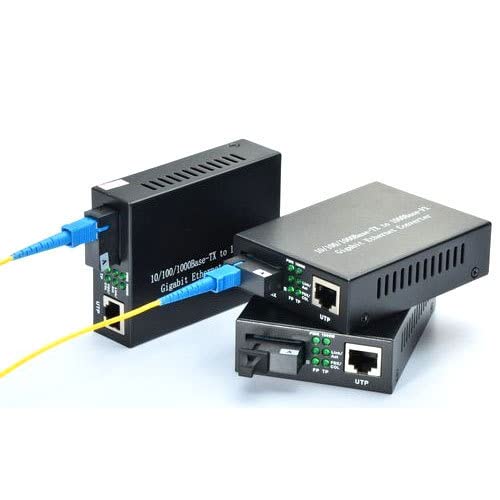
The important part is that the data path between floors is optical, not electrical. There is no copper Ethernet cable stretching across the building and inviting surge energy directly into network ports. The active electronics sit at the ends, indoors, with only short copper patch cables nearby.
That is a much better failure model.
A note on armored fiber
I used armored fiber because the cable route benefits from mechanical protection. Fiber itself is glass and does not conduct electricity, but armored cable can include metallic strength or protection elements depending on the exact cable construction.
That distinction matters. The safety win comes from the optical data link, not from pretending that every part of every armored cable is magically non-conductive. The cable still needs to be routed sensibly and handled as a real installation, not as a random wire thrown across a building.
Even with that caveat, fiber is a much cleaner choice than exposed copper Ethernet for this job.
Why I am happier with this setup
The link now feels boring in the best possible way. It gives me gigabit connectivity between floors without stretching copper networking outdoors or through exposed paths.
It is also easier to reason about:
- Media converters are cheap and replaceable (~1500 INR)
- The routers and switches are not directly tied together by a long copper run
- Fiber gives electrical isolation between the two ends
- Future upgrades are straightforward if I ever need more bandwidth
Most importantly, I am no longer hoping that the weather stays polite.
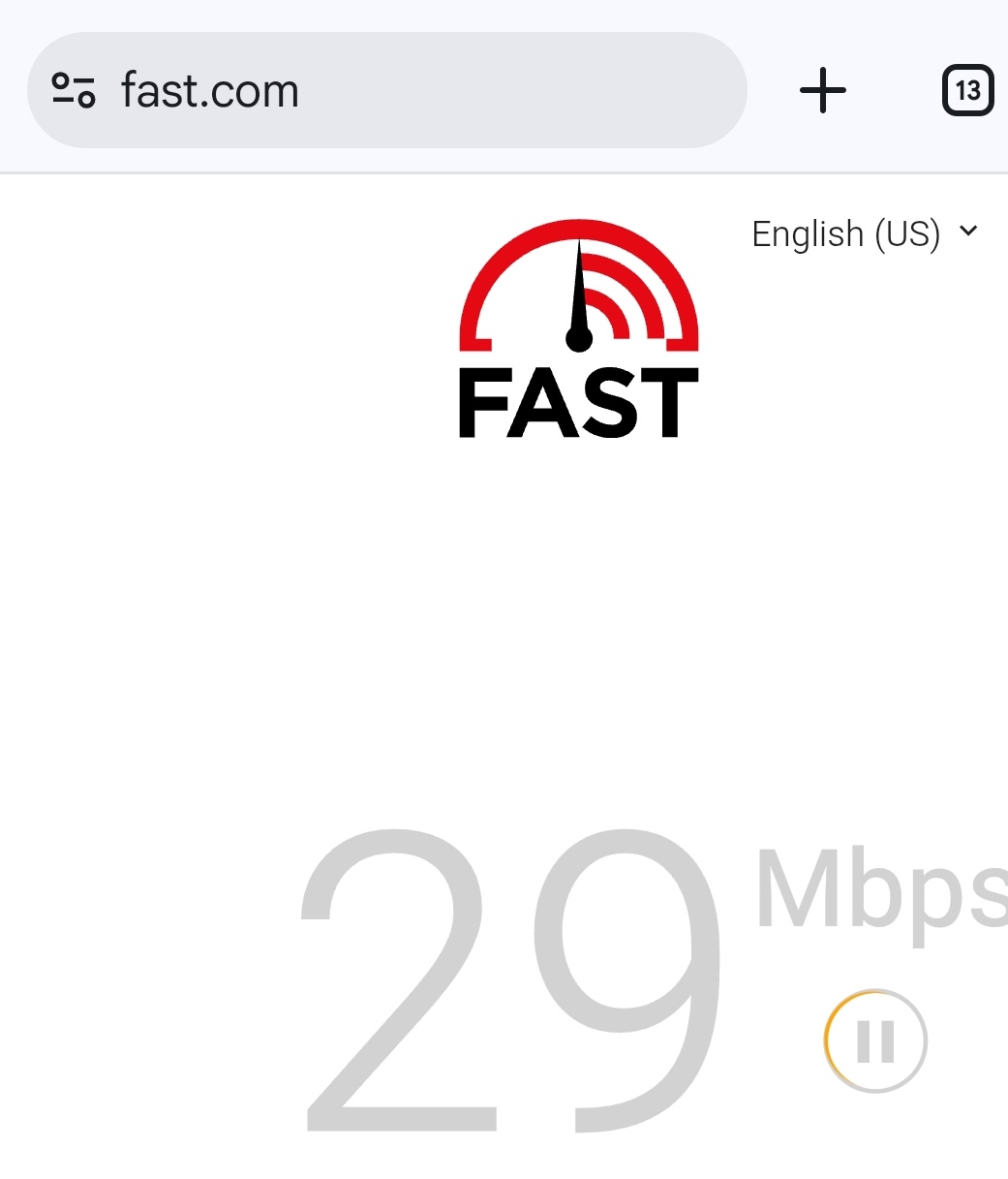
Without Fiber Link:
With Fiber Link Active:
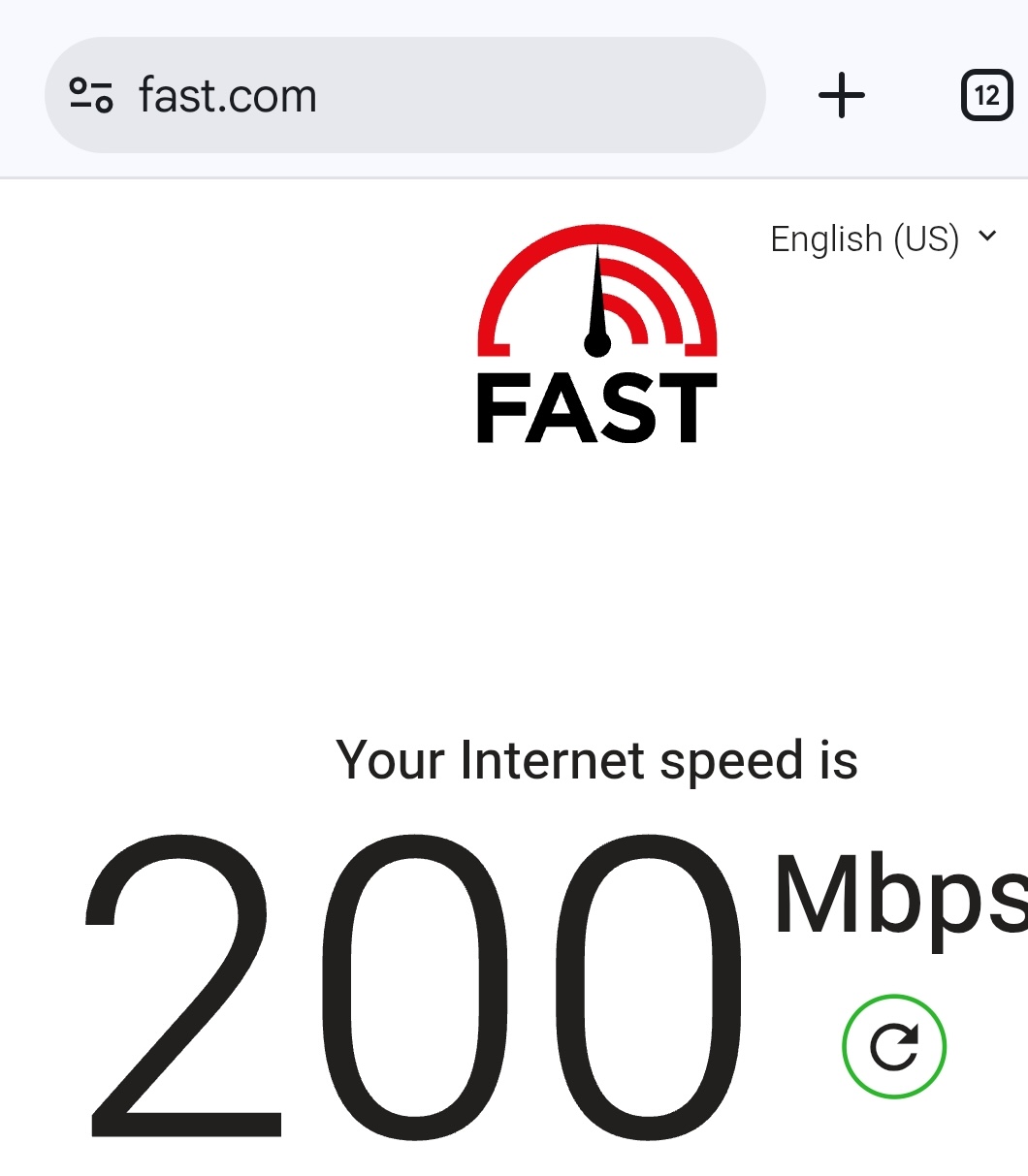
The iperf3 speeds are around 800 Mbps - not bad!
Lesson learned
The 2015-2016 setup was a useful hack, but it taught me a real lesson. A network link can be functionally correct and still be a poor physical installation.
In 2026, I finally applied that lesson properly. For connecting across distance, especially across exposed or building-scale paths, fiber is the calmer and safer choice.
Copper is for short, controlled runs.
Fiber is for distance.
Costs
The whole setup - including hiring two local fiber technicians - costed around 3000 INR - less than the cost of a Deco X20 mesh unit which is a poor performer across vertical floors!